One tablet. Every digital order.
OrderPro is LineTen's in-store operations dashboard — the screen your team uses at the pass or counter to manage digital orders in real time. It replaces separate marketplace tablets with a single device, gives staff a way to 86 items when the POS does not expose availability to LineTen, and shows orders that fail to reach the till so your team can act before a guest is left waiting.
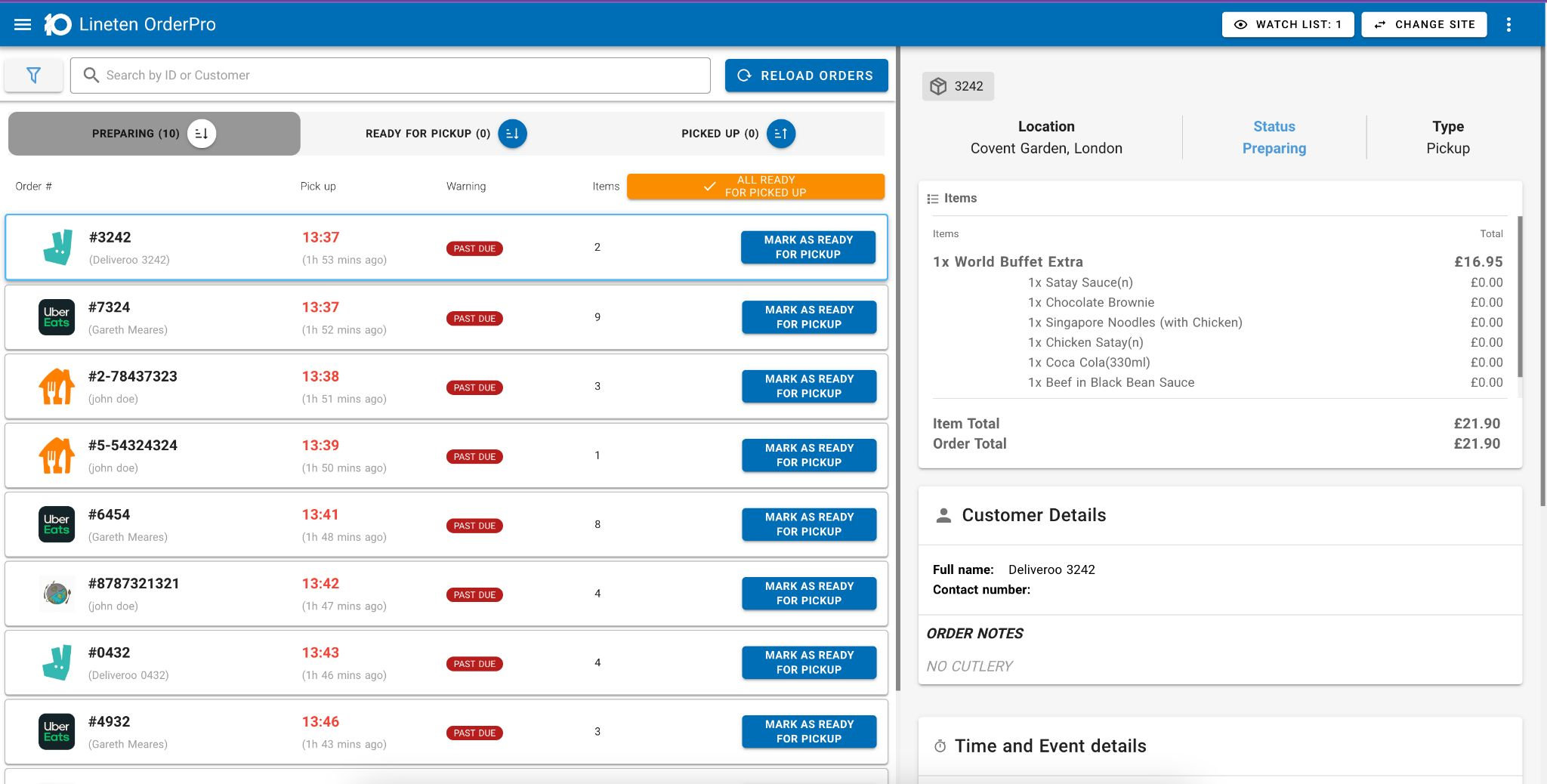
Built for the pass, not the back office
Digital ordering creates a second queue that most POS systems were never designed to show on the till. Marketplace partners ship their own tablets. Kiosk and web orders arrive through a different path. When something fails between channel and POS, the kitchen often finds out last. OrderPro puts every digital order — and every exception — in front of the team that needs to fix it, on hardware you control.
What OrderPro does
One tablet instead of a marketplace farm
Uber Eats, Deliveroo, DoorDash, and other marketplaces each expect their own device on the counter. OrderPro does everything those marketplace tablets do — accept, acknowledge, and manage orders — on one LineTen tablet, so brands run a single in-store screen instead of a row of partner devices.
86 items when the POS cannot
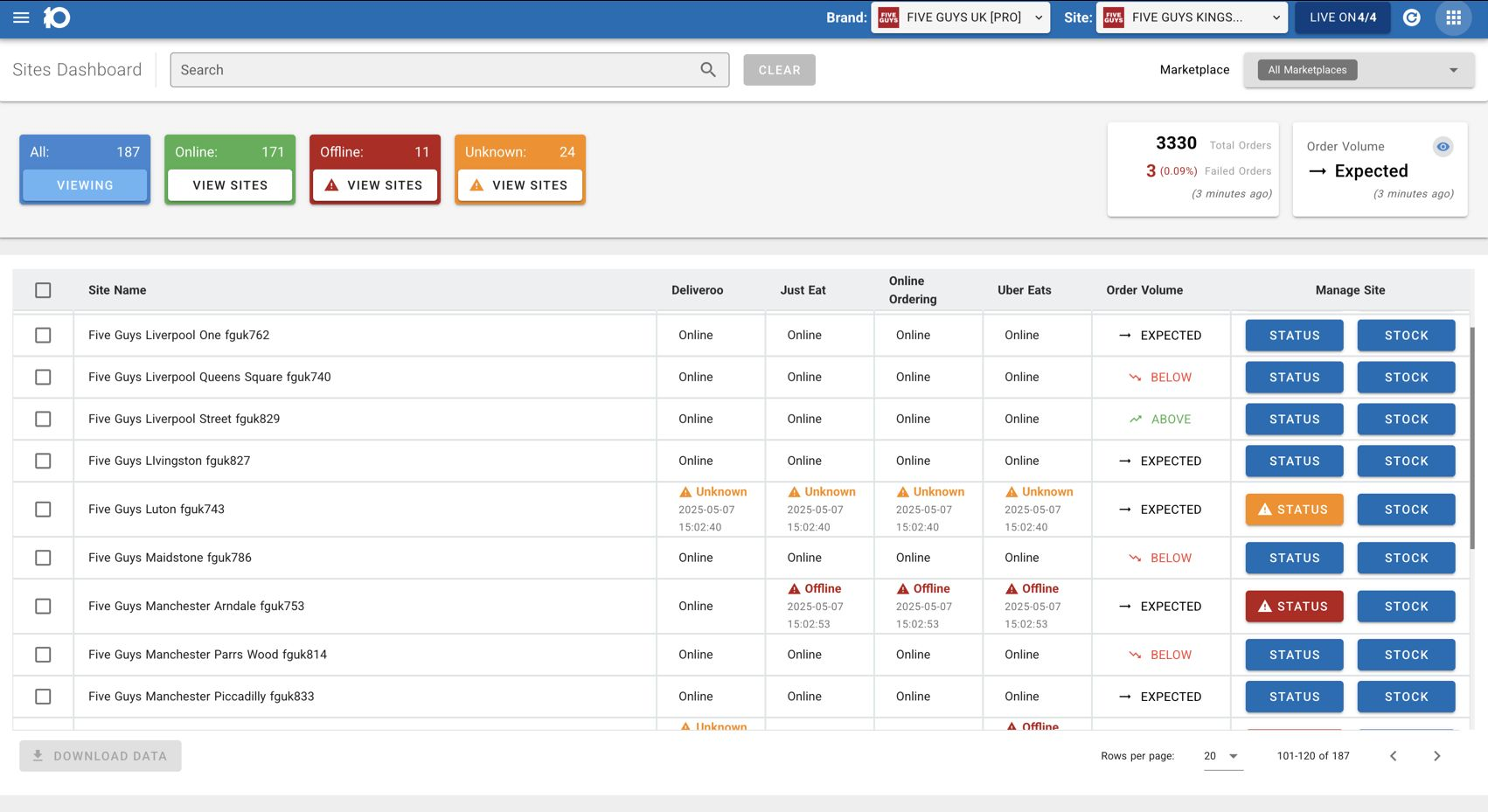
When a site runs out of an item, availability needs to stop everywhere — kiosk, web, marketplaces, and in-venue screens. If your POS does not expose 86 state to LineTen, OrderPro gives staff a direct way to mark items unavailable from the pass, and LineTen propagates that change across every connected channel.
Catch orders that never reached the POS
Bridge routes orders to your till; OrderPro is where staff see whether they arrived. When a submission fails — connection drop, timeout, or POS rejection — the order surfaces on OrderPro as a redundancy layer, so the team can intervene before a missed ticket becomes a missed sale.
The dashboard your team actually uses during service
OrderPro is not an integration layer and it is not a routing engine. It is the operational screen in the restaurant: the place staff look when a digital order needs attention, when an item needs to come off the menu mid-shift, or when a marketplace order does not match what the kitchen received. One interface, every channel, at the point where problems get fixed.
- Unified order view across marketplace, kiosk, web, app, and drive-thru channels
- Marketplace order acceptance and management without a separate tablet per partner
- 86 controls for staff when POS availability is not exposed to LineTen
- Failed-order queue for orders that did not confirm at the till
- Real-time status so the pass knows what is in flight, delivered, or stuck
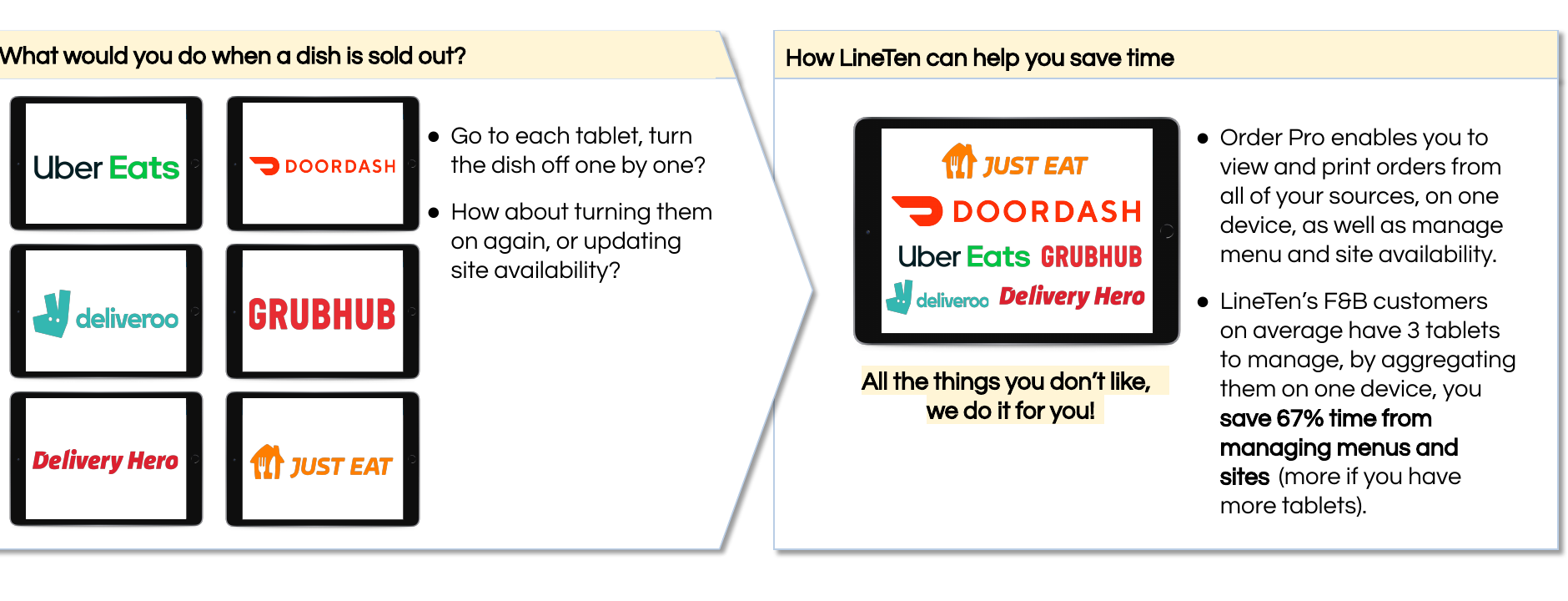
Replace the tablet farm
Marketplace-heavy sites often end up with a dedicated device for every delivery partner — each with its own login, alert sound, and workflow. OrderPro consolidates that into one LineTen-managed tablet that handles the operational tasks staff already perform on marketplace hardware, while Bridge and MenuPro keep menu and order flow in sync behind the scenes.
- Single device on the counter instead of one tablet per marketplace
- Same operational workflows staff already know from partner tablets
- Works alongside Bridge for POS handoff and MenuPro for menu truth
- Consistent experience whether the order came from Uber Eats, Deliveroo, kiosk, or your own app
- Fewer devices to charge, configure, and train new staff on
Frequently asked questions
How is OrderPro different from Bridge?
Bridge is LineTen's integration layer — it connects ordering channels to your POS, loyalty stack, and hardware. OrderPro is the in-store dashboard staff use during service: one tablet to manage marketplace orders, 86 items, and orders that fail to reach the till. Bridge moves orders; OrderPro makes sure your team can see and act on them.
Can OrderPro replace our marketplace tablets?
Yes. OrderPro is designed to do everything marketplace partner tablets do — order acceptance, acknowledgement, and in-service management — on a single LineTen device. That means one screen on the counter instead of a separate tablet for Uber Eats, Deliveroo, DoorDash, and every other marketplace you run.
When would staff use OrderPro to 86 an item?
When your POS is the source of truth but does not expose item availability to LineTen, staff need another way to take something off the menu mid-shift. OrderPro gives them that control at the pass. The change propagates through LineTen to kiosk, web, marketplaces, and other connected surfaces — without requiring a back-office POS workflow that front-of-house staff cannot reach during rush.
What happens when an order fails to reach the POS?
Bridge handles routing and retry logic, but failures still need human attention during service. OrderPro surfaces orders that did not confirm at the till — connection issues, timeouts, or rejections — so staff can see the problem, re-submit or fulfil manually, and avoid a guest discovering the miss before the kitchen does.
Does OrderPro show orders from LineTen's own channels as well as marketplaces?
Yes. OrderPro is channel-agnostic by design. Kiosk, web, mobile app, drive-thru, and marketplace orders all appear in the same operational view, so the pass has one place to monitor digital volume — not a separate screen for each source.
See OrderPro on the pass
Talk to us about replacing marketplace tablet farms with one in-store dashboard.